The EUC app that runs on your watch
Direct to
your wrist.
WheelDash connects your Garmin or Amazfit smartwatch straight to your electric unicycle. Live data, alarms, wheel controls and ride recording all run on the watch, so your phone can stay in your pocket, or at home.
- Free No ads, no subscription
- Garmin · Amazfit with iPhone or Android · Watches
- Begode · Extreme Bull · Leaperkim · NOSFET · KingSong · InMotion · InMotion is limited on Garmin
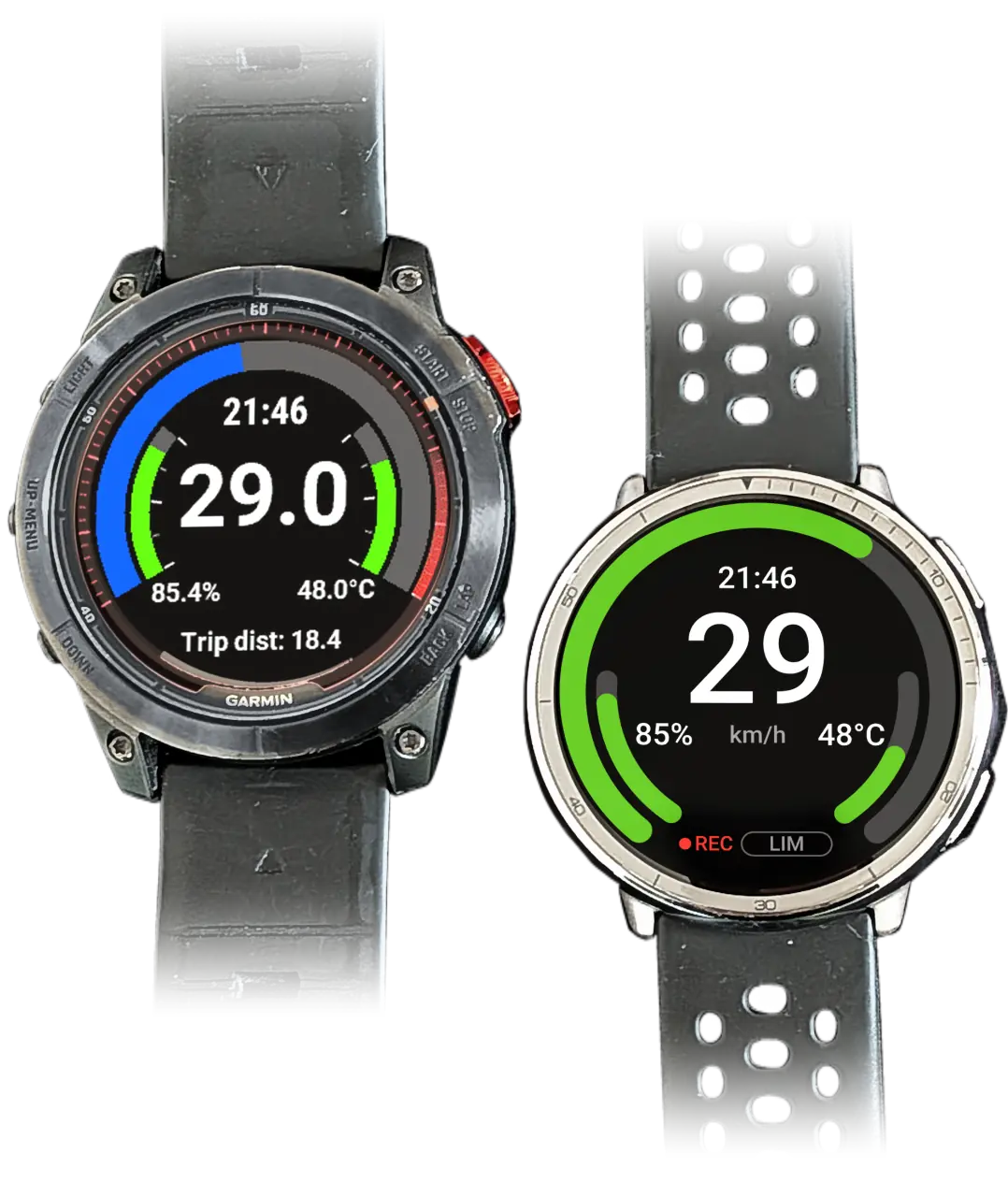
Garmin fēnix 7 Pro
Amazfit Active 2
Speedkm/h
min0.0avg41.8max67.9
Battery%
min60avg75max84
Temperature°C
min44.4avg45.6max47.0
Real ride · 30 min · 855 samplesAs shown in the Ride Portal
The key difference
Every hop can break.
We removed the hop.
Most EUC apps run on your phone and send their data on to the watch. WheelDash runs on the watch itself: no phone app the system can put to sleep, no second Bluetooth link to drop, no phone battery to watch.
Phone apps with a watch companion
- EUC
- Phone
- Watch
2 hops · the watch is a second screen · if the phone app sleeps, drops or runs flat, the watch goes blank
WheelDash
- EUC
- Watch
1 hop · the watch does it all · data, alarms, wheel controls and recording without a phone
- Leave the phone at homeOr in a bag, switched off. Nothing on it needs to keep running while you ride.
- Any phoneWheelDash works the same with an iPhone or an Android phone, used only before and after the ride.
- Glasses and radar includedENGO glasses and a Garmin Varia radar connect to the watch, with nothing to unlock or subscribe to.
What you get
Built around the ride.
Everything here runs on the watch, with no ads and no subscription. Some features are Amazfit only; they are marked, and the platform comparison has the details.
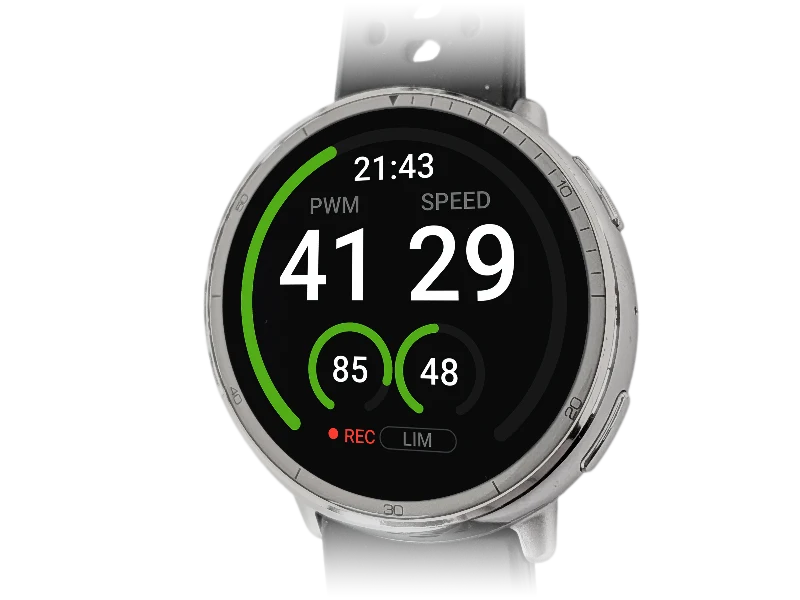
Live wheel data
Speed, PWM, battery, voltage, current and temperatures, plus motor temperature or tyre pressure on wheels that report them.
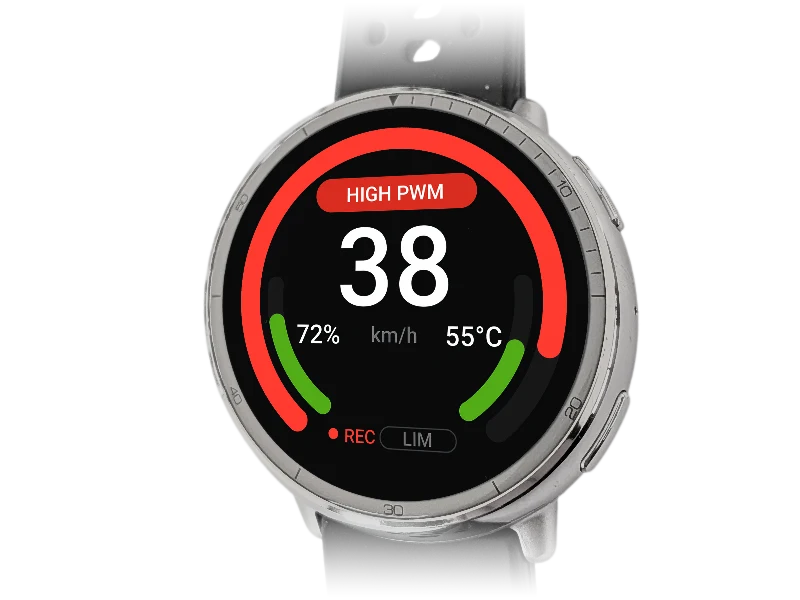
Alarms you can feel
PWM, speed and temperature alarms with sound and vibration. On Amazfit, build your own: combine readings, set when they clear, design the vibration. Alarms
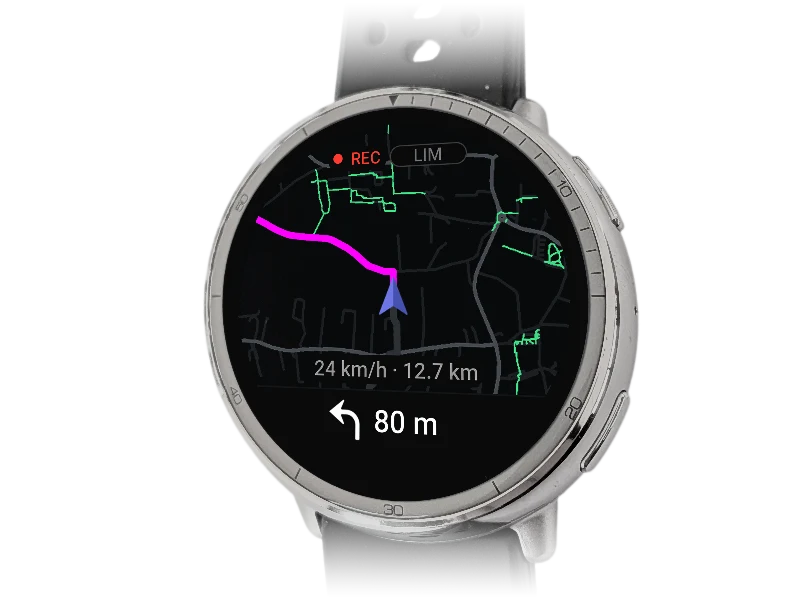
Navigation on the watch Amazfit only
Amazfit, in Europe, the Canary Islands, the USA, Canada, European Russia, and China, for every account. Load a route and its map before you leave, then follow it turn by turn with the watch's own GPS. Navigation
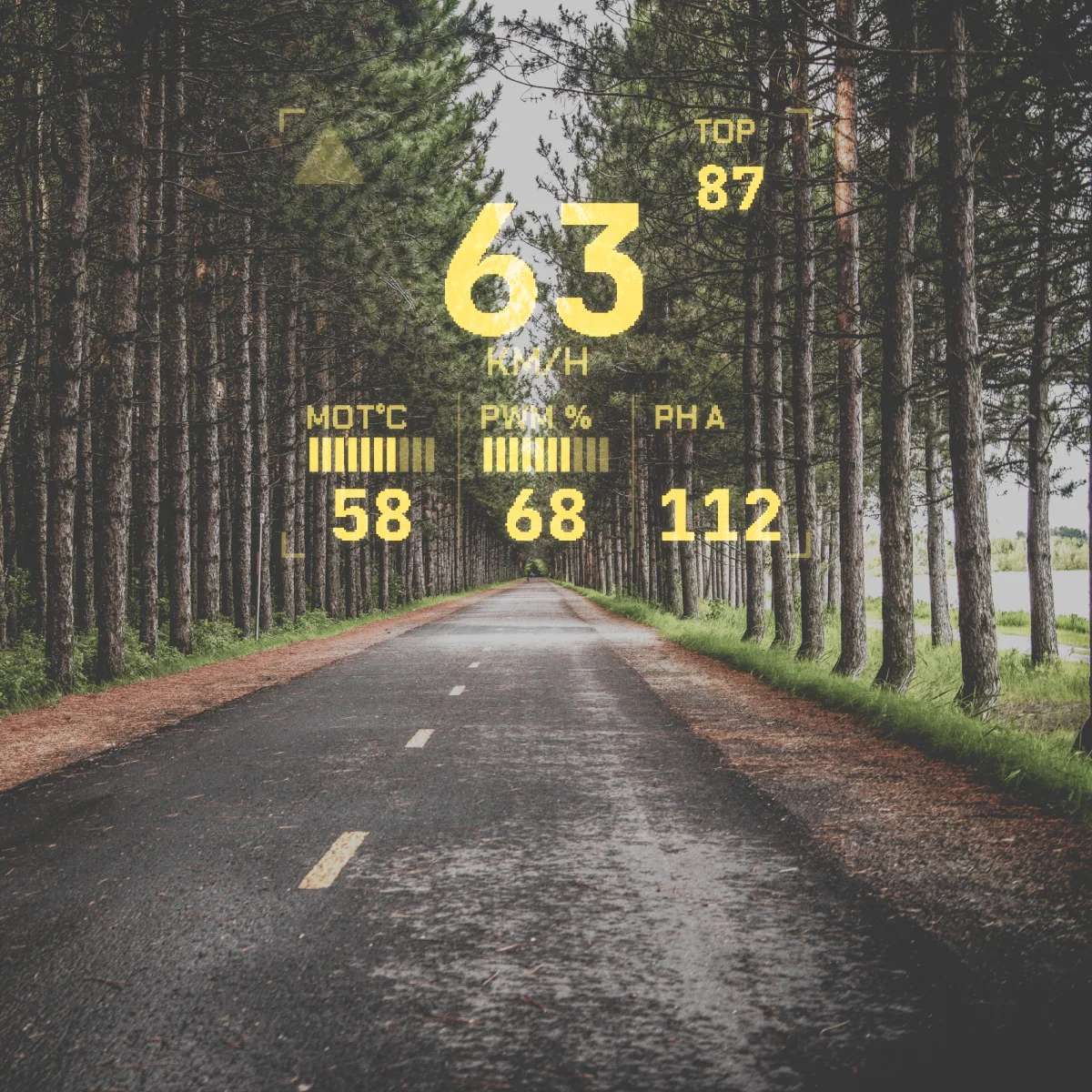
ENGO and Varia, included
Ride data in your field of view on ENGO glasses, and cars behind you from a Garmin Varia radar. Both connect to the watch, on every version, at no cost. Accessories
Leave the phone
Riding needs only the watch. On Amazfit, the phone is for settings, loading routes and uploading rides, before and after.
Control the wheel
Sound the horn, cycle the lights or switch a speed limiter on and off, from a watch button (Garmin App and Amazfit). The Garmin App adds a wheel settings menu on the watch.
Wheel presets Amazfit only
Save up to four sets of wheel settings, such as tiltback speed and pedal mode, and switch with one button. Presets
One profile per wheel
Each wheel keeps its own alarms and settings. Start straight into your usual one, and on Amazfit, locked wheels unlock with their PIN.
Your dashboard Amazfit only
Your layout.
Your data.
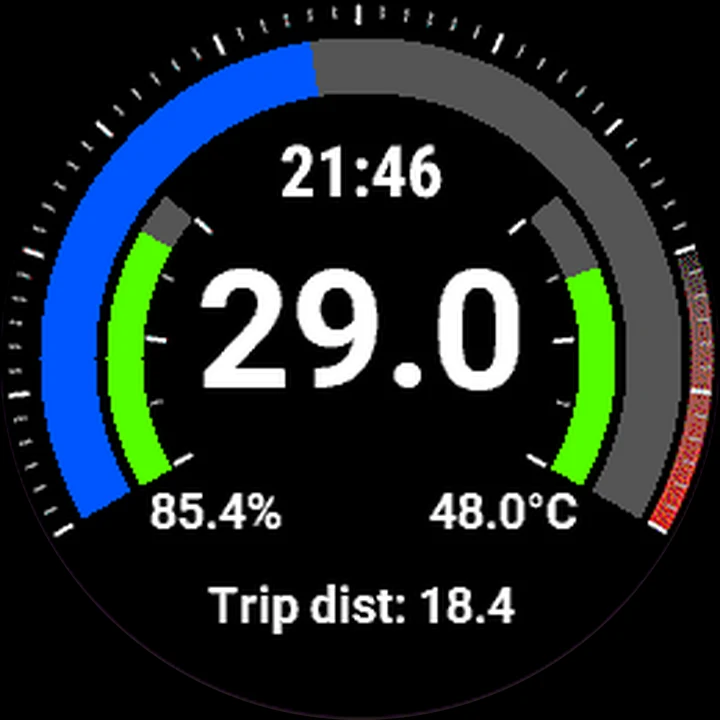
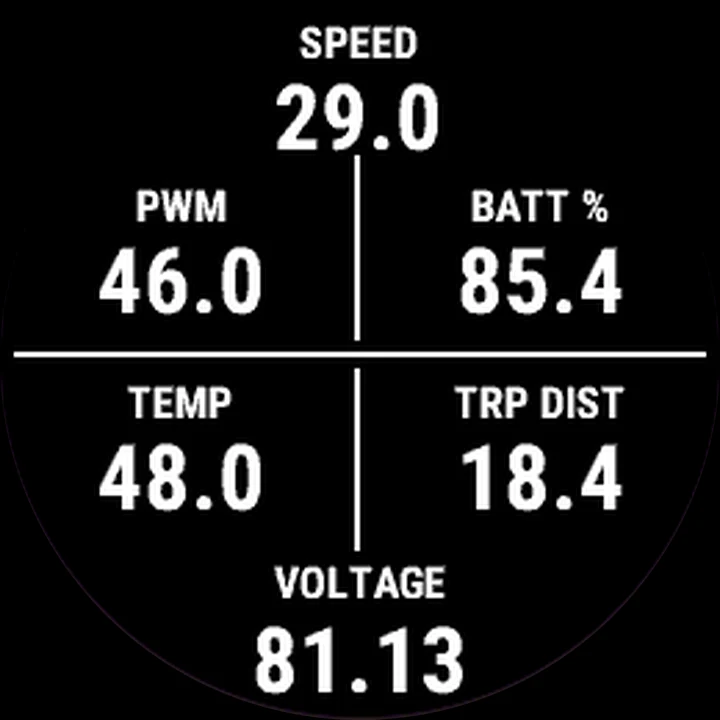
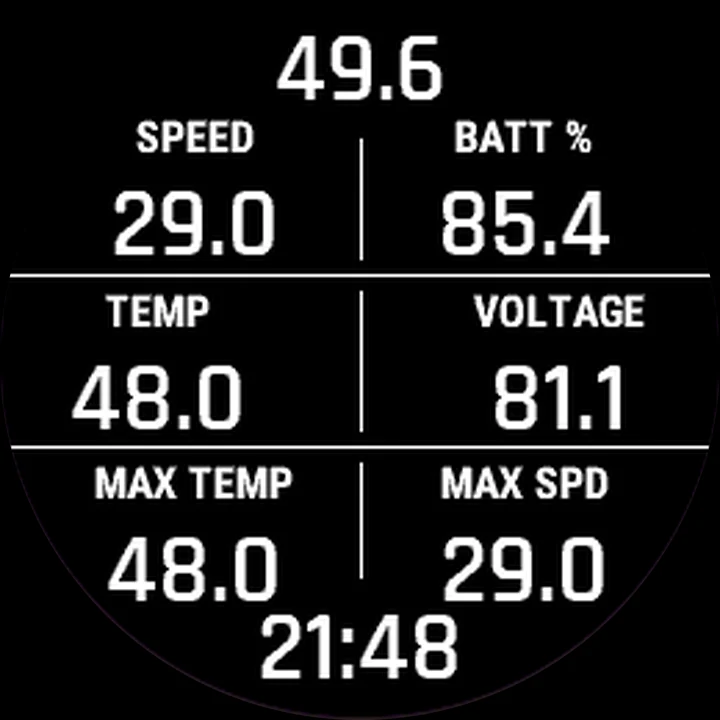
On Amazfit, the dashboard is yours to build. Put any value anywhere on the screen, as a big number, a gauge, a bar or plain text, and split it up with separators. Build layouts in WheelDash's settings in the Zepp app, or in the Ride Portal's layout editor.
- 1 Add a block
- 2 Pick the data it shows
- 3 Drag, resize, recolour
- Clock
- Plain text Your own words, up to 48 characters.
- Circular gauge Any value as an arc, with your colours, range and angles.
- Value A plain number, as large as you like.
- Separator Lines to group what belongs together.
- Labelled value A value with your own caption above it.
- Progress bar Horizontal or vertical.
- Varia radar bar Approaching vehicles from a Garmin Varia.
- Recording indicator
Also available: speed-limit indicator and alarm message. Size, colour, alignment, decimals and units are set per block. Every block and value
Other layouts built from the same blocks
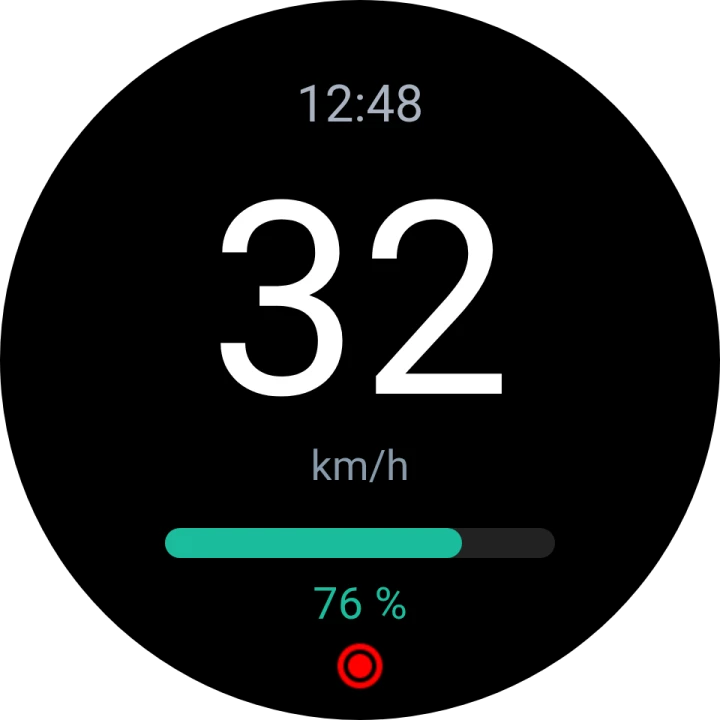
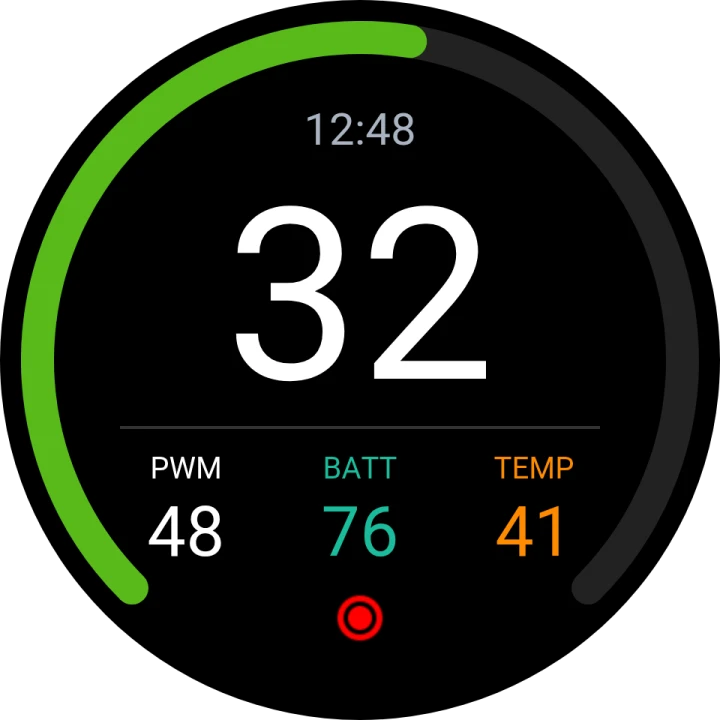
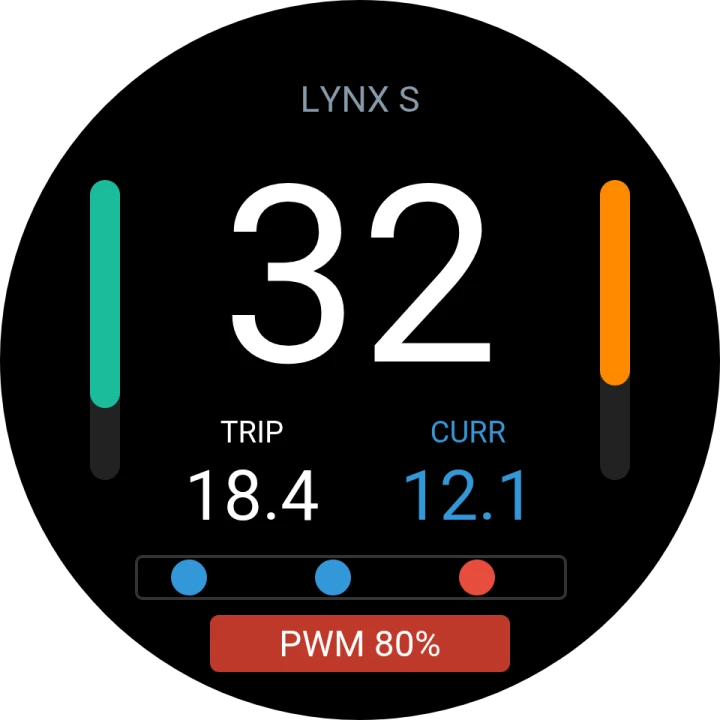
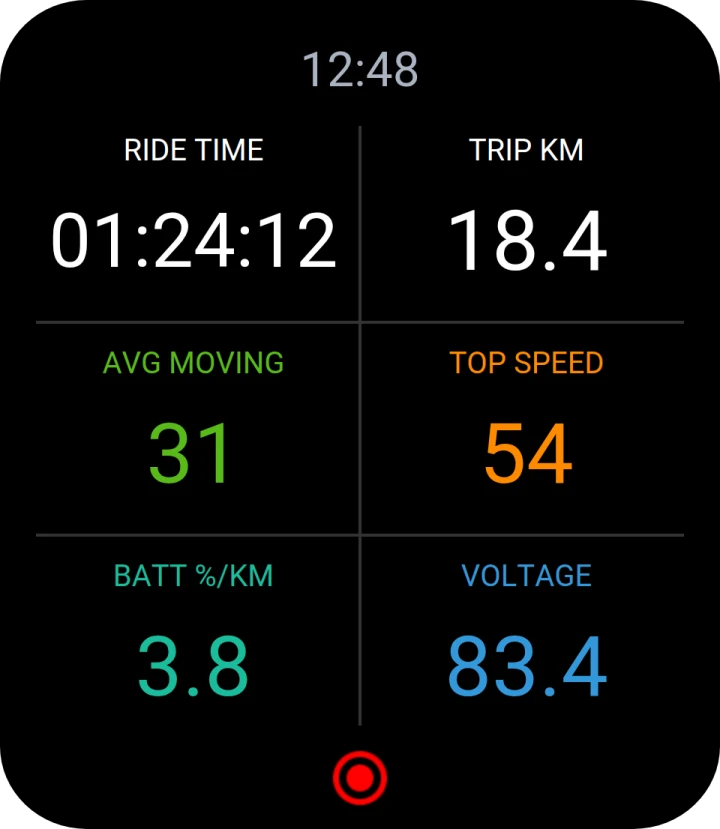
Example layouts, drawn with the Ride Portal's watch preview.
On Garmin
A set layout, with choices.
The Garmin App's main screen keeps its layout: you choose the centre value, whether the top arc shows speed or PWM, and the statistics below. Its second view shows 4, 6 or 8 fields you pick. The Garmin Datafield shows 6 or 8, inside any Garmin activity.
Fully custom layouts like the ones above are Amazfit only.
Choose your platform
One app.
Three versions.
On Garmin, choose a full-screen app or a datafield inside a Garmin activity; both are free, so you can try both. On Amazfit, one app has the most features: custom dashboards, wheel presets, navigation and the Ride Portal.
Garmin App
Standalone watch app
Open WheelDash directly from the Garmin app list. The watch connects to the EUC, decodes its data, manages alerts and records the ride.
- Full-screen dashboard
- Horn, lights and limiter on buttons
- Garmin Connect recording
Garmin Datafield
Inside a Garmin activity
Add WheelDash to a Garmin activity screen. The Datafield connects directly to the EUC while the Garmin activity handles recording, maps and navigation.
- Direct EUC connection
- 6 or 8 configurable fields
- Garmin recording and navigation
Amazfit
Standalone app, most features
Open WheelDash from the watch's app list. The watch connects to the EUC, shows the dashboard you build, runs the alarms and records the ride, which you can upload to the Ride Portal afterwards.
- Custom dashboards
- Wheel presets
- Navigation in Europe, the Canary Islands, the USA, Canada, European Russia, and China
- WheelDash Ride Portal
- Installs from a QR code in the Zepp app
| Capability | Garmin App | Garmin Datafield | Amazfit |
|---|---|---|---|
| Supported EUCs | Begode, Extreme Bull, Leaperkim, NOSFET, KingSong, InMotion (limited) | Begode, Extreme Bull, Leaperkim, NOSFET, KingSong | Begode, Extreme Bull, Leaperkim, NOSFET, KingSong, InMotion |
| Navigation | Not available | Garmin's own navigation | Europe, USA, Canada, European Russia and China |
| Ride recording | Garmin Connect | Garmin activity + EUC FIT fields | On-watch recording |
| WheelDash Ride Portal | Not used for Garmin rides | Not used for Garmin rides | Upload through phone |
| Dashboard customization | Set layout + 4/6/8 fields | 6 or 8 configurable fields | Custom layouts |
| Wheel presets | Not available | Not available | Up to 4 per wheel |
| Account needed | None | None | Only to upload rides or navigate |
| Watch battery | 10 h+ on many watches | 10 h+ on many watches | About 12 % per hour (Bip 6) |
Ride Portal Amazfit only
Every ride, every segment, one place.
Upload your Amazfit rides to see each one on a map with its speed, battery, temperature and PWM, or put two side by side. Rides are encrypted on your phone before upload and stay private unless you share them; privacy zones hide your home from shared maps. Anyone can browse what riders share, no account needed.
Live from the Ride Portal
- Public rides
- Riders
- Public km
Segment activity depends on suitable public rides covering the same places. Some areas may have little or no activity yet.
Built by riders. For riders.
Independent by design.
Free, not for profit
The watch apps are free and will stay free, with no ads. The Ride Portal and navigation run on servers that cost money every month: free today, they may one day ask for a contribution to cover those costs, never more. Donations
Private by default
Amazfit rides are encrypted on your phone with a key derived from your password, and stay private unless you share them.
Open and upfront
The Garmin versions are open source; the Amazfit source will follow once its development settles. Platform limits are stated before you install.
Project updates
What is new in WheelDash.
Release highlights, compatibility news and notes from ongoing development across the ecosystem.
WheelDash Amazfit v0.0.99: a new look and navigation for everyone
WheelDash Amazfit v0.0.99 redesigns the app, reads every wheel brand more accurately and adds older InMotion wheels. Navigation is now open to ever...
Read updateENGO Discount Code: 40€ / $40 Off
Use WheelDash discount code DSLWHL_40 to get 40€ or $40 off ENGO smart glasses, depending on your region.
Read updateWheelDash Amazfit v0.0.95: more data, better glasses support and stronger reliability
WheelDash Amazfit v0.0.95 adds new wheel telemetry, ENGO racing views, more capable dashboards and a long list of reliability fixes.
Read updateGuides and community
Start with the right path.
Check compatibility, follow a setup guide, get help or join the rider community.
Ready to install?