WheelDash for Garmin: the Garmin Datafield
The Garmin Datafield puts WheelDash inside a Garmin activity. The activity keeps doing what Garmin does well, recording, maps and navigation, and the WheelDash screen shows your wheel’s data next to them.
Like all Garmin datafields, it refreshes once per second. If you want a faster display and don’t need Garmin’s maps, use the Garmin App instead.
Install
Find WheelDash: datafield on the developer’s Connect IQ page and install it on your watch.
Settings
Settings are changed on your phone, in the Connect IQ Store app or Garmin Connect. Before the first ride, set for the profile you will use:
- Wheel name and Wheel brand: Gotway/Begode, Leaperkim/NOSFET, Kingsong or Kingsong (old);
- the alarm thresholds: two PWM levels, a speed and a temperature;
- Profile to use, which tells the Datafield which of the three profiles to load.
First connection
During the first connection, WheelDash records the Bluetooth identity of your EUC, so it will not pair by mistake with another wheel of the same brand.
- Check the wheel brand and the Profile to use setting.
- Make sure only your wheel is powered on nearby, and that your phone or any other device is not connected to it.
- Open an activity and add WheelDash: datafield as a single field on one of its data screens. Switch to that screen; the first connection screen appears.
- When the confirmation screen says the wheel is connected, wait until the WheelDash screen is displayed. Then exit the activity and power off the wheel.
- Power the wheel on again and restart the activity.
Fields and appearance
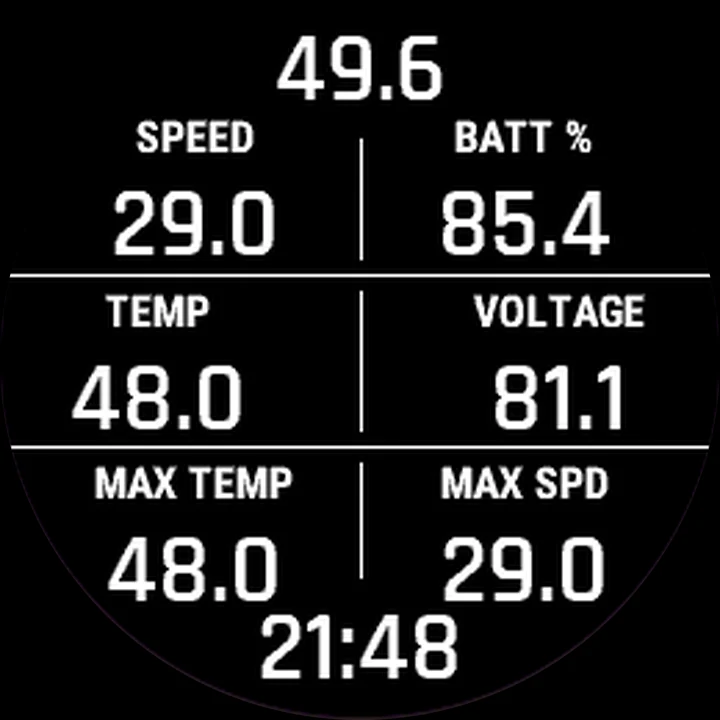
Choose 6 or 8 fields from the list: speed, voltage, PWM, battery, temperature, current, distances, averages and maximums, and more. You can also set the font, the text and line colours, and show the north and wind direction.
Maps, navigation and recording
The host activity records the ride; WheelDash adds its EUC data to the activity’s FIT file, so it appears in Garmin Connect. Maps and navigation are Garmin’s own, on watches that have them. With ENGO glasses, WheelDash can forward compatible turn and destination information to the glasses.
Rides are reviewed in Garmin Connect. They are not uploaded to the WheelDash Ride Portal.
Going further
- Connect ENGO glasses or a Garmin Varia radar.
- Something not working? Check the FAQ.